Prelude
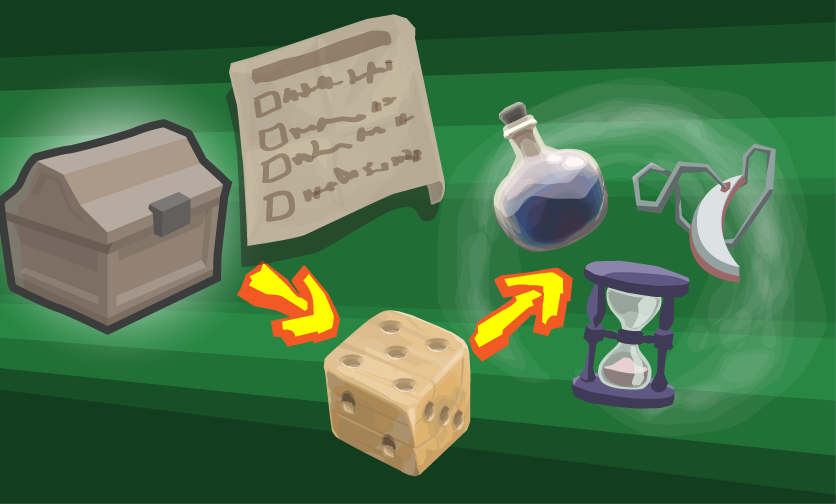
Levers, switches, doors and other movable objects – that are well-known level design features that require a way of object interaction. Furthermore, cinematics, player progress updates, quests and notifications are entangled within the field of level scripting. When game objects or entities within a level shall have states that are depending on the overall status of the total game world (player’s progress), some way to sort that out has to be found, too.
On top, when there is a dialog system, certain options may only be visible and specific dialog branches may be only accessible if certain conditions are met. And dialog options may again cause actions within the whole game world – e.g. spawning entities like creatures or items, giving items to the player directly, changing the reputation with some faction, opening a door in any scene or level, or start a boss battle in the current scene.
The solution for all these requirements are level scripts. And I created a level scripting system which connects local level objects and the global game efforts of the player alike, while being simply configurable, through the editor GUI. At the same time, the option for more complex and custom scripts is always there.
Overview
For different scenarios, I developed fitting ways to realize scripting, which are:
- mainly editor-based (+ a bit generic and customizable logic)
- simple entity linkages with somewhat implicit actions – bound to local entities
- Example 1: button opens door
- Example 2: player enters trigger zone and a trap is activated
- pre-defined actions and conditions with specifyable parameters – allowing local and global entities
- Example 1 (Action): Dialog option X starts quest Y
- Example 2 (Condition): Dialog option X is only visible if player has item Y
- simple entity linkages with somewhat implicit actions – bound to local entities
- mainly MonoBehaviour-based (using a custom MonoBehaviour)
- level scripts – complex level logic that is for any reason not achievable with before mentioned simpler mechanics
- Example 1: setting some fancy story scripting variable after two objects invoked some exotic events
- Example 2: disable default AI of a character and let it do a custom action instead
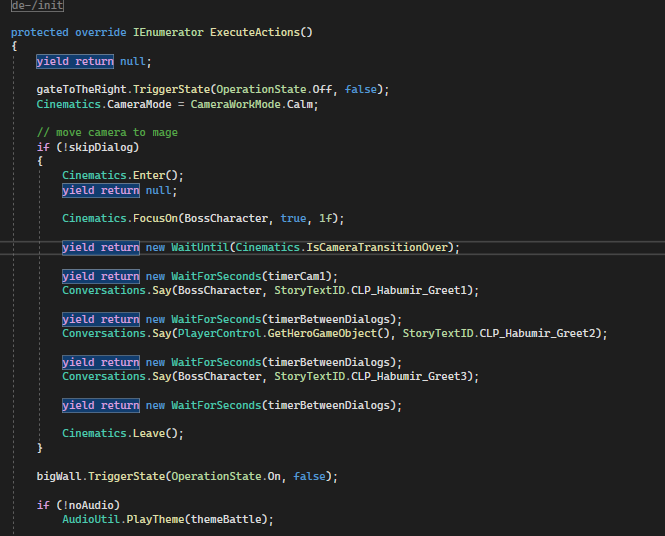
- Example 3: cinematic that shows a dialog between player and boss, before the battle starts
- quest scripts – scripts focusing on quest logic; providing extra logic for updating quests
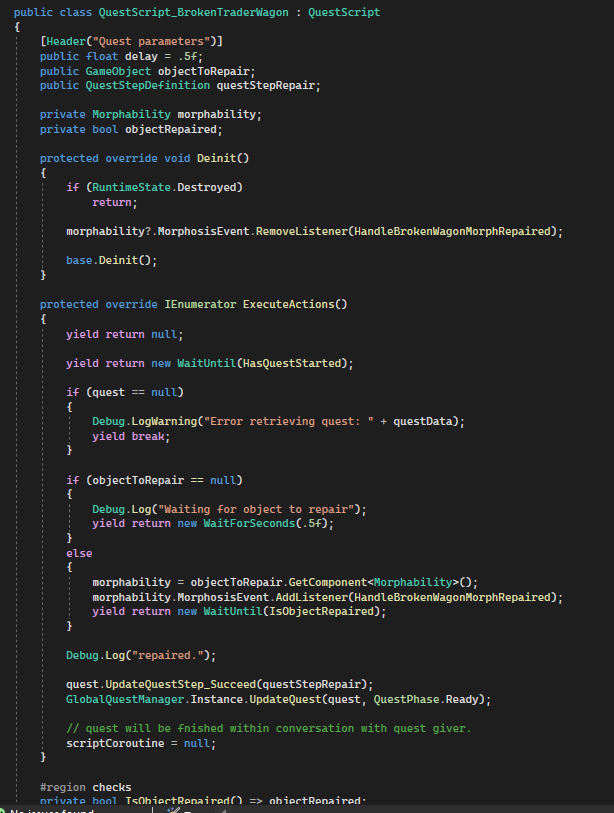
- Example: Mini quest during encounter of travelling trader whose wagon is broken – if player repairs it, reward is given
- level scripts – complex level logic that is for any reason not achievable with before mentioned simpler mechanics
Mainly Editor-based Mechanics
First things first: Here are some entities that are usually involved in scripting:
- Switches / Levers / PressurePlates
- Obstacles (doors / moving wallks)
- Moving platforms (elevator)
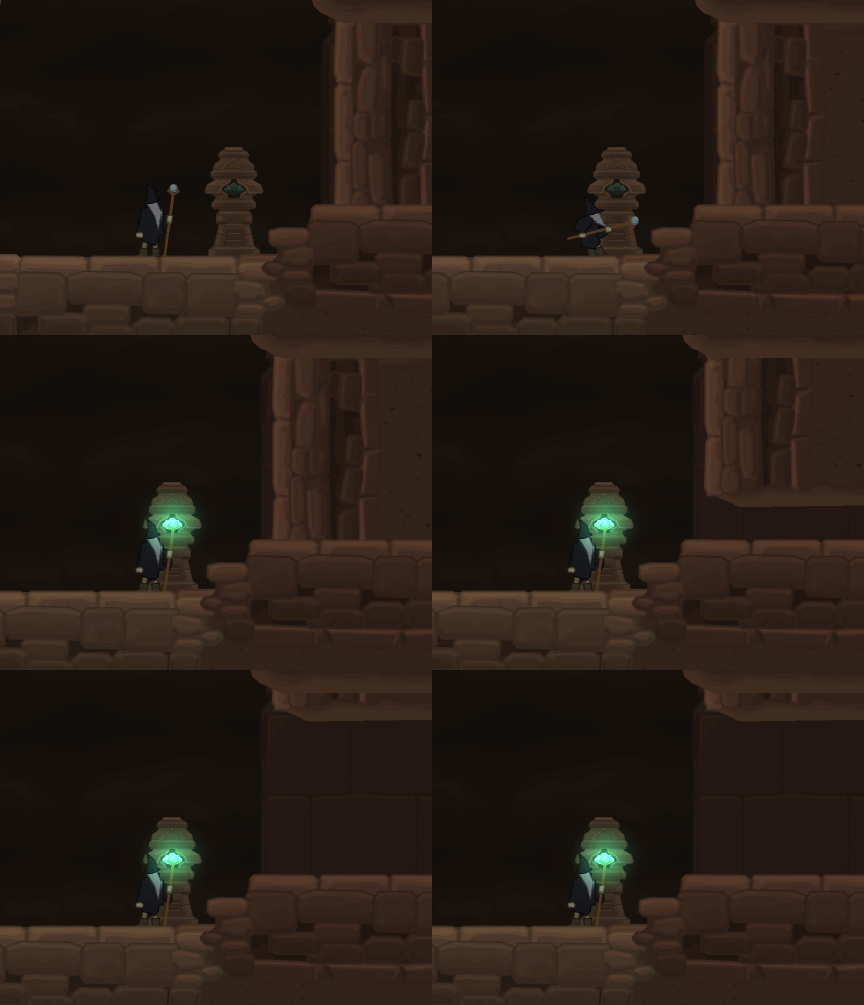
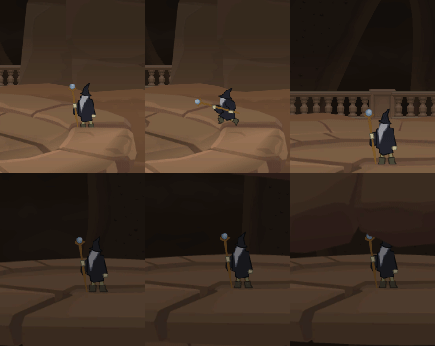
Simple Target Linkages
Simple linkages rely on linking one or more specific target game objects that provide components which are legit effectors of a trigger.
An example: As one can see, the Switch behaviour has a target field. That is the other game object in the level, which shall be affected by the using of the switch.
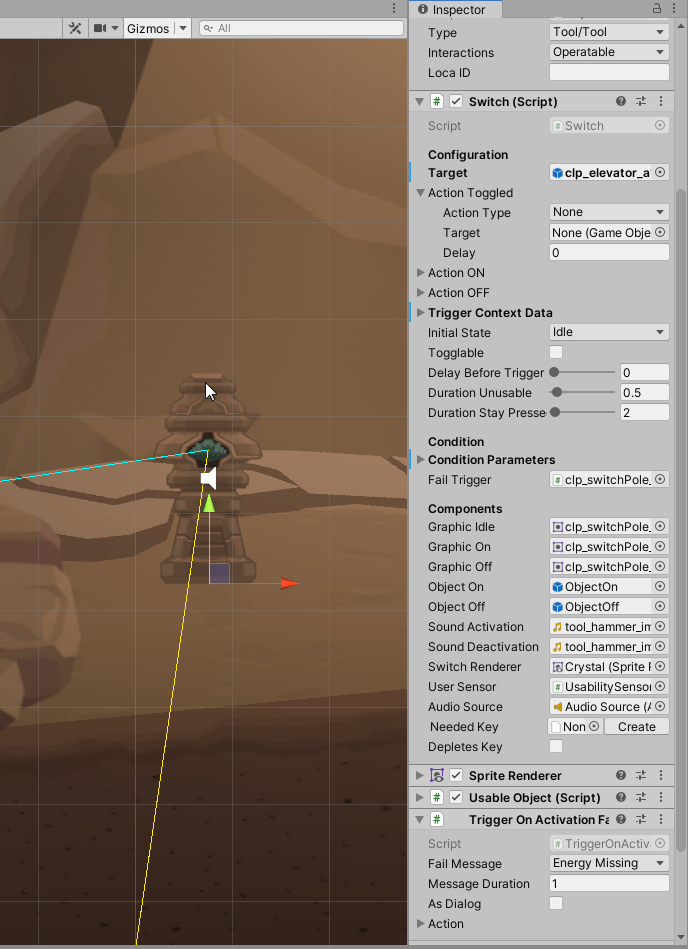
Under the hood, the target is checked for components that are legit scripting targets. The interfaces IOperableTarget and ITriggerable are searched for. Such components then will be used. The disadvantage or limit of this approach: Only one interactive behaviour can be effectively and safely linked in such a way.
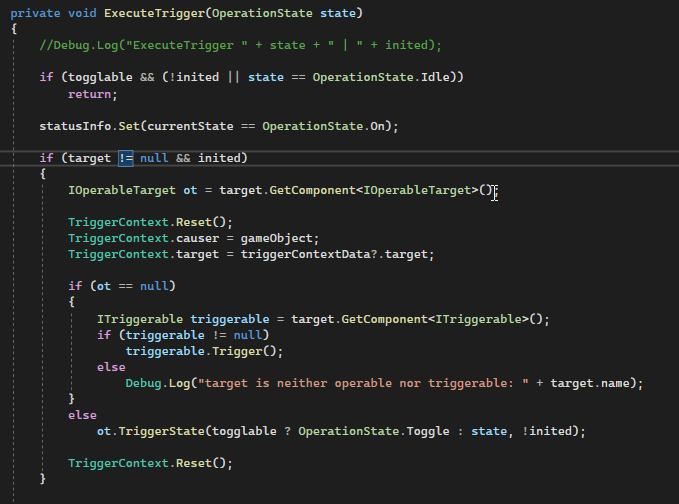
If there are multiple interactive components on the target object, the UnityEngine will probably take the first – but one should not rely on the order of components, since that might change later on, and in sequence, this would result in the game object behaving unintendedly. That is why I add another way to link target objects… and no, I do not mean to link a specific behaviour instead of the a game object – that way may be acceptable for behaviours that are added to the same game object like the trigger behaviour is added to; otherwise, it is complicated to work with within the unity editor, since it requires to change the selection unconveniently from one game object to another.
More Complex Approach to Set Up Linkages
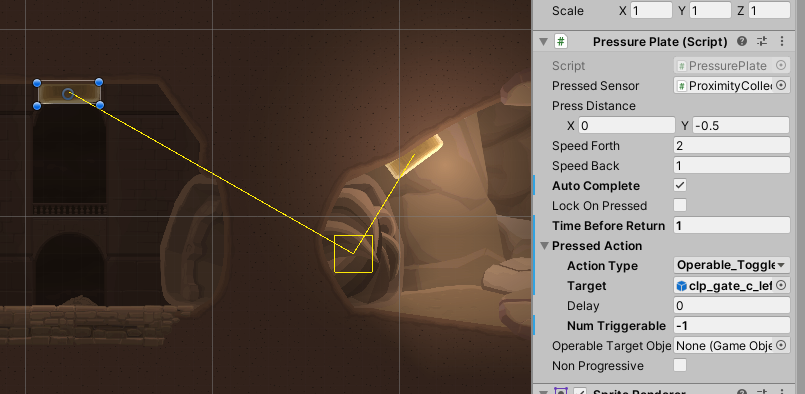
There are entities that have actions that require – additionally to the target game object – an explicit action type. The simple game object field is replaced with a data object, the trigger action node, which I will describe later on in detail. In the picture beneath, the field “Pressed Action” would be an example of how to use such a linkage.
In this case, it has one more field -“NumTriggerable”. This is because pressedAction it actually RepetitiveTriggerActionNode – that is a specific variant of TriggerActionNode. I used it here because it makes sense for this type of entity – one can step onto and away from a pressure plate multiple times.
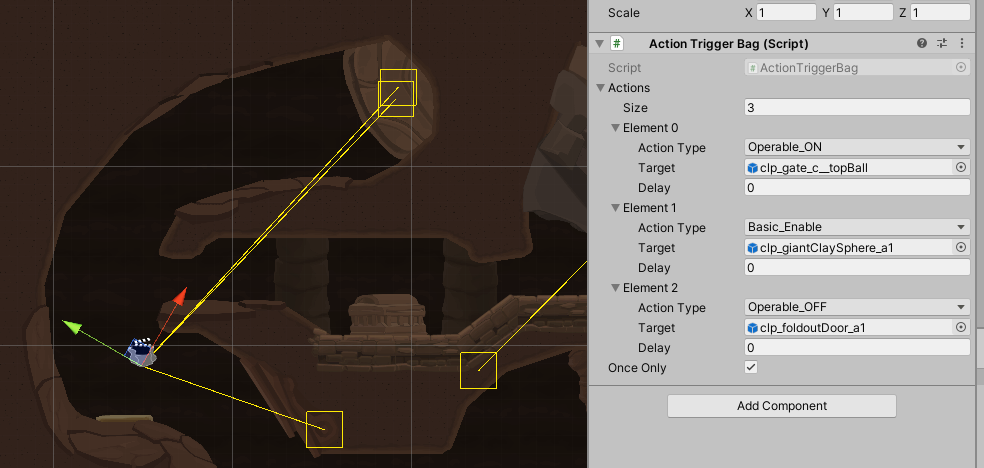
If multiple actions are wanted, there are multi-relay-like game objects like the action trigger bag. It consists of X TriggerActionNode-objects that can be defined by the user. I borrowed this principle from the multi_manager entity of the WorldCraft world editor known from the Halflife modding scene.
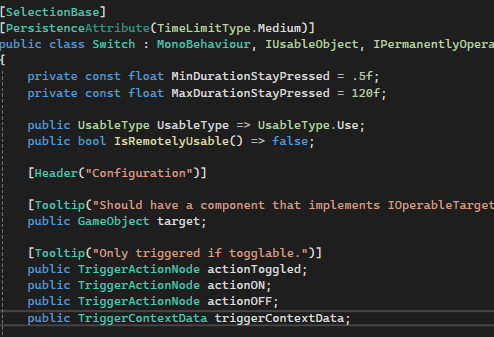
Some entities define often optional trigger action nodes that are to be called at specific moments. Like the switch, which offers distinct actions to be triggered when the switch either transitions to the state ON, OFF or any of those states. Such trigger action nodes are directly placed within the entity behaviour for easy use later one during the level design process. Other entity types where I used that strategy are chests and doors – to trigger something when they get opened or closed.

Scripting Components
Let’s take a look at some components more in detail.
The TriggerActionNode
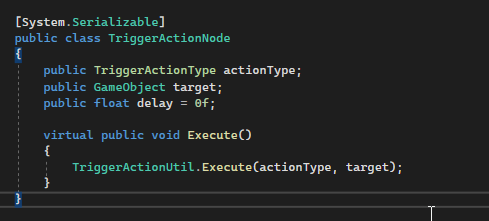
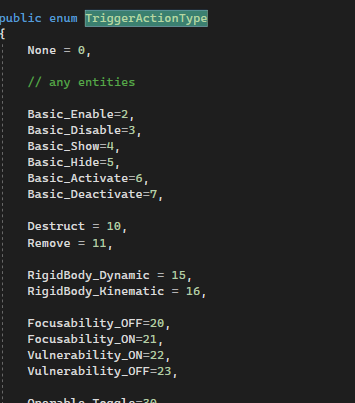
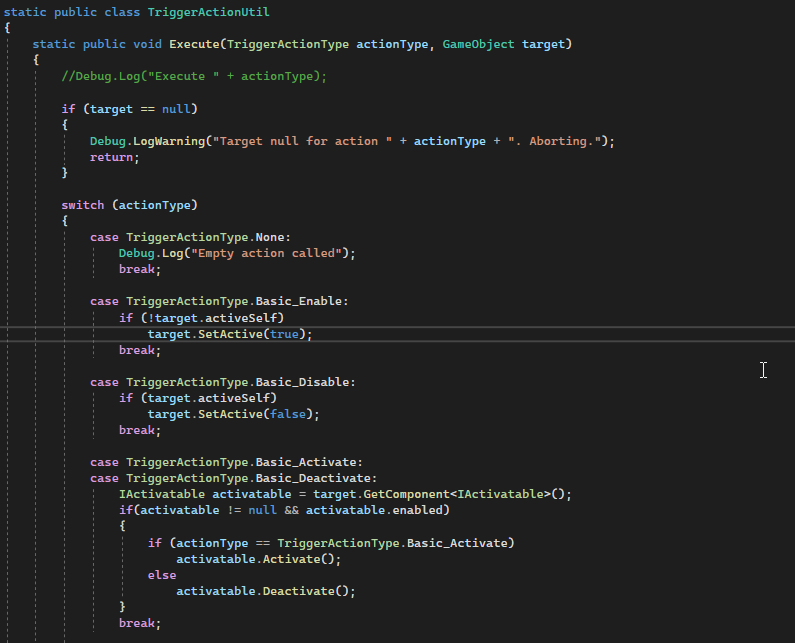
Take a look at the TriggerActionNode class. It has an optional delay, a target and an action type. The action type specifies what to do with the targetted object. There is a wide variety of possible actions. That enum is extensible for future requirements and at the same time well readable in the editor. An optional delay of execution is also specifyable. As already explained above, it is used set up specific interaction linkages between game objects. A utility class interprets the actually wanted action by retrieving the expected component from the target and triggering the logic on it. If one wants to add a TriggerActionType enum value, one would also enhance the TriggerActionUtil to interpret and execute the wanted scripting action appropriately.
Trigger zones
Passing certain zones may trigger actions. Paired with certain entities, like entity emitters, they can create interesting obstacles for the player. The trigger zone may even be placed within the game object that shall be triggered – good for traps!
In the PlayerTriggerZone behaviour, one may specify target object or target behaviour and in which case the trigger shall be executed – on enter, on leave, or in both cases. The target object has a behaviour that implements the interface IOperableTarget. This will be resolved and the intention to be operated will be passed to that operable behaviour.
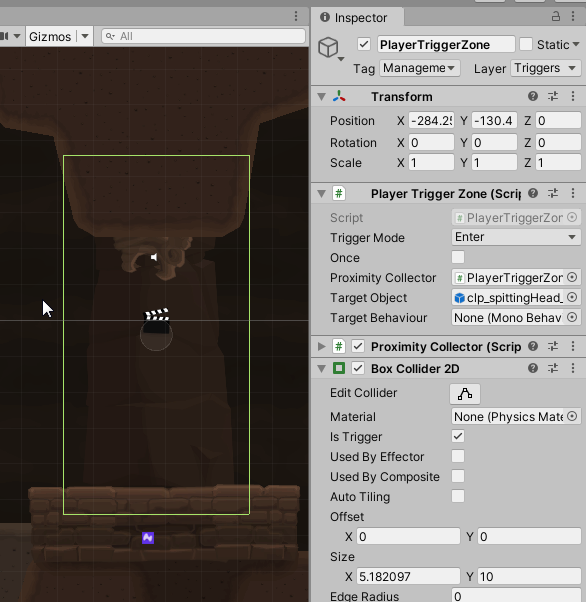
MagicConeTrap component, which implements both, IOperableTarget and ITriggerable. This way, it will be found by the PlayerTriggerZone MonoBehaviour.ScriptedAction & LogicCondition
For my dialog system, I developed the following mechanism: Action and condition classes that are parametrizable. They follow the command design pattern and are configurable from the UnityEditor, for now, only through the dialog system. Other use cases are thinkable, but not implemented yet.
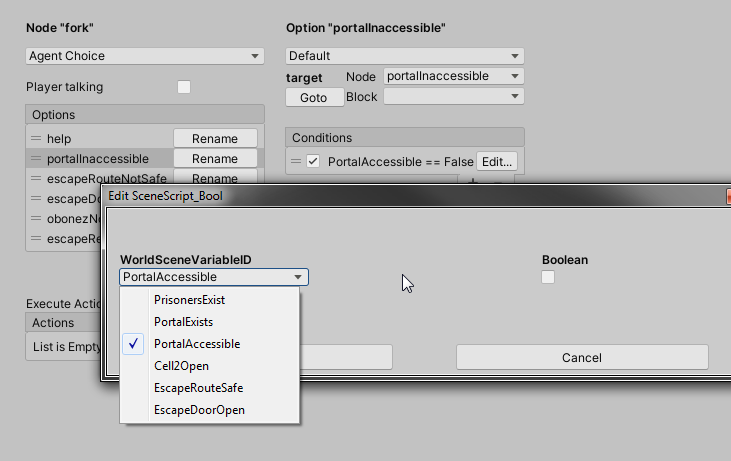
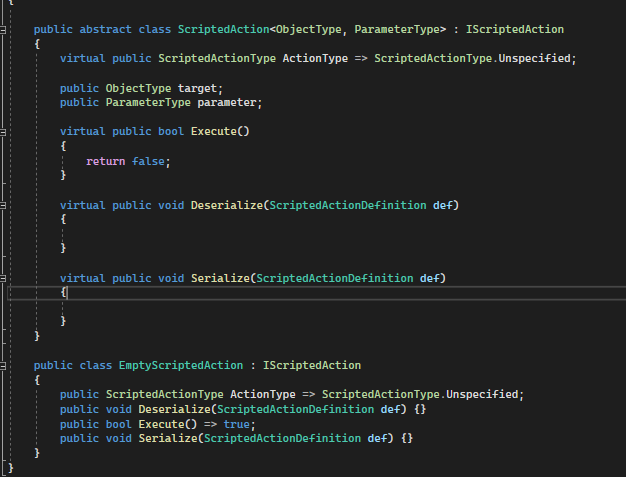
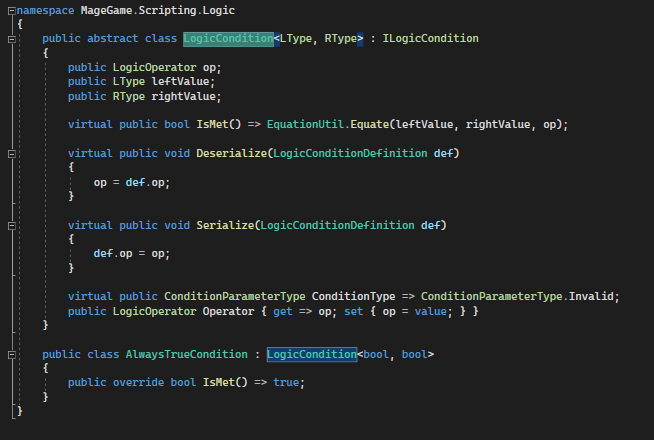
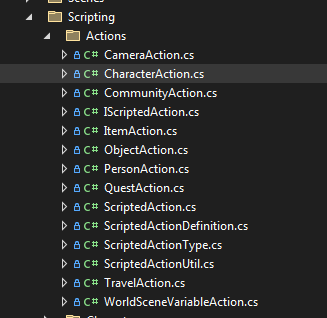
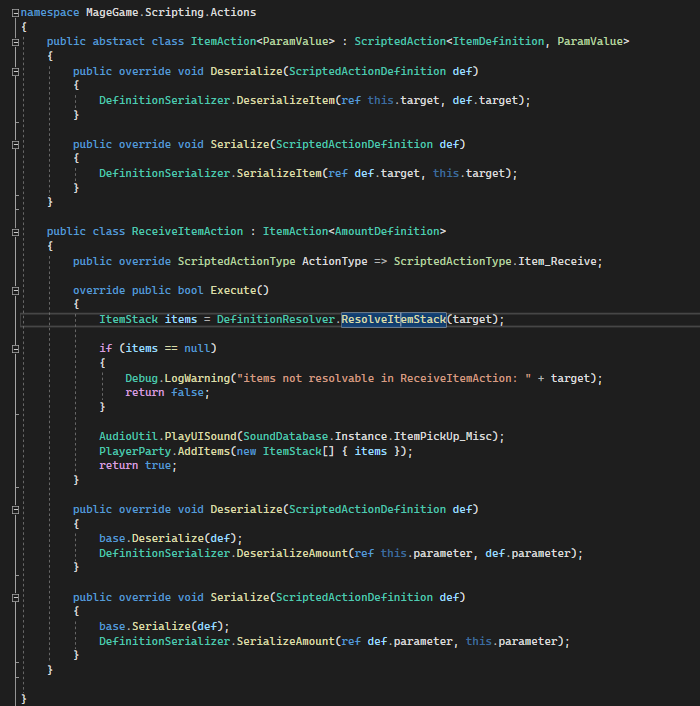
Outgoing from the generic base classes, I created some useful variants of actions and conditions. They would ask or change the status of a game entity, like giving the player an item, shaking the camera or fulfilling a quest.
Complex scripts
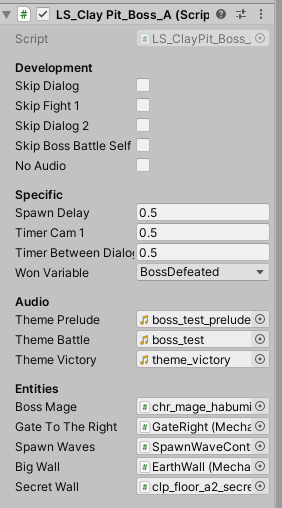
These are more or less complex scripts for inconvenient tasks. They are MonoBehaviours, use coroutines for executions and probably focus on a single task, like updating a quest or setting up the behaviour of an entity.
A related part to know of is the scripting API. Complex scripts will use methods that are oftenly re-used and are hence grouped by topic, e.g. scripting methods for “items”, “quests” or “characters”.
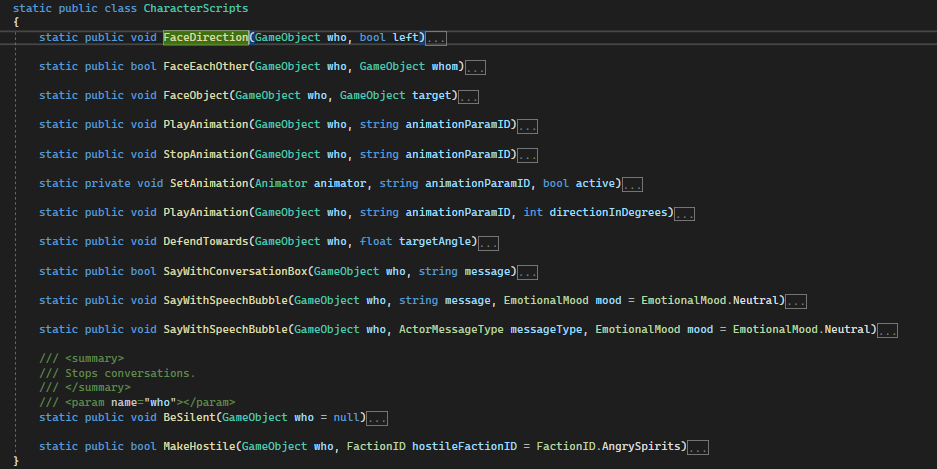
CharacterScripts. It provides recurringly needed and useful methods for character-like game objects, e.g. rudimentary actions like direction adjustments, animation triggering or more advanced actions like talking, defending or becoming hostile to player.Here now some shorter examples for level scripts. See how the scripting API is used.
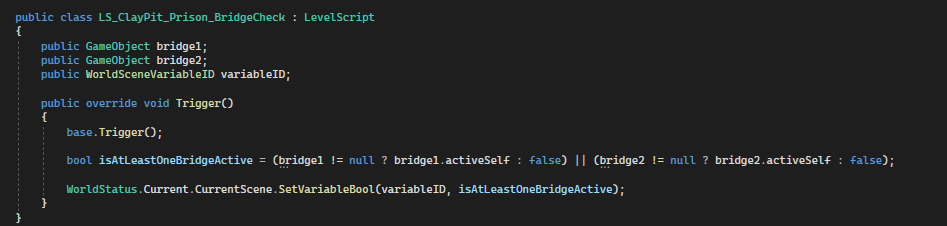
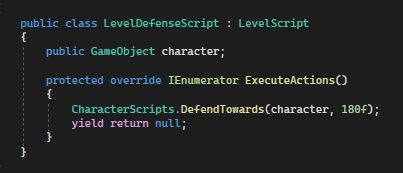
It may be observed that such level scripts run within a MonoBehaviour. That is needed to make use of Unity’s coroutine feature, which allows us to run code asynchronously – contrary to that – and just for information – C#’s native way to achieve that would be to use async and await. However, our MonoBehaviour extending scripts normally use scene references and assets linked via the unity editor. Due to the availability of the Scripting API, the algorithm is of a rather small size and clearly readable. That is cruicial for complex sequences of actions.
QuestScripts
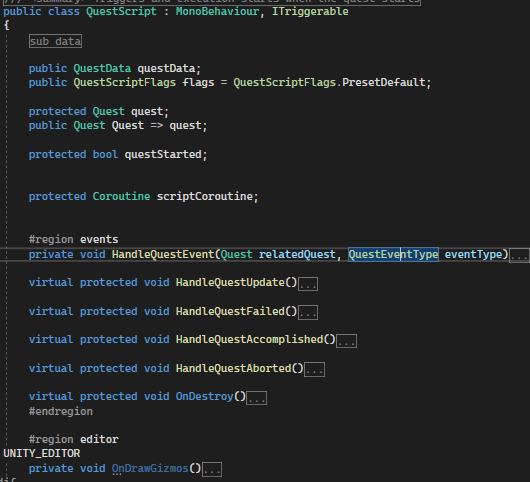
Quest scripts are similar to level scripts, yet they offer some additional data to configure, which are quest-specific, as well as overridable methods to react on typical quest events.
Video Examples
The following videos refer to features described in this article.
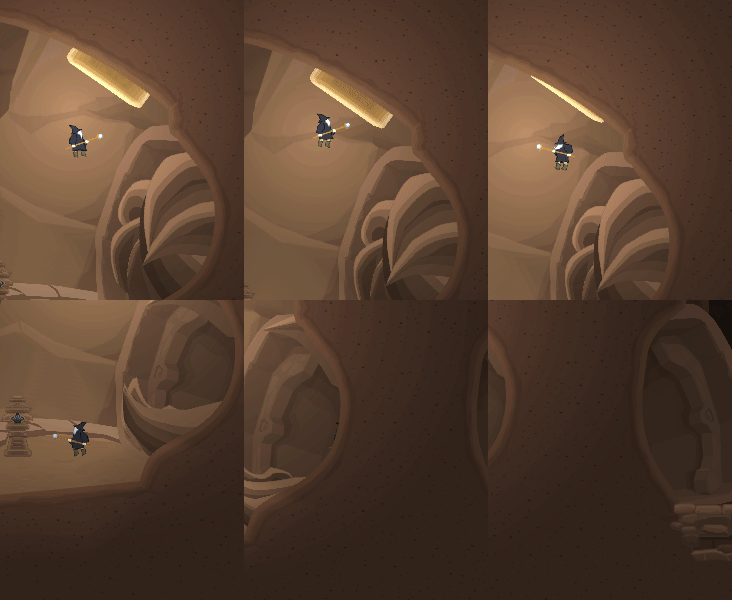
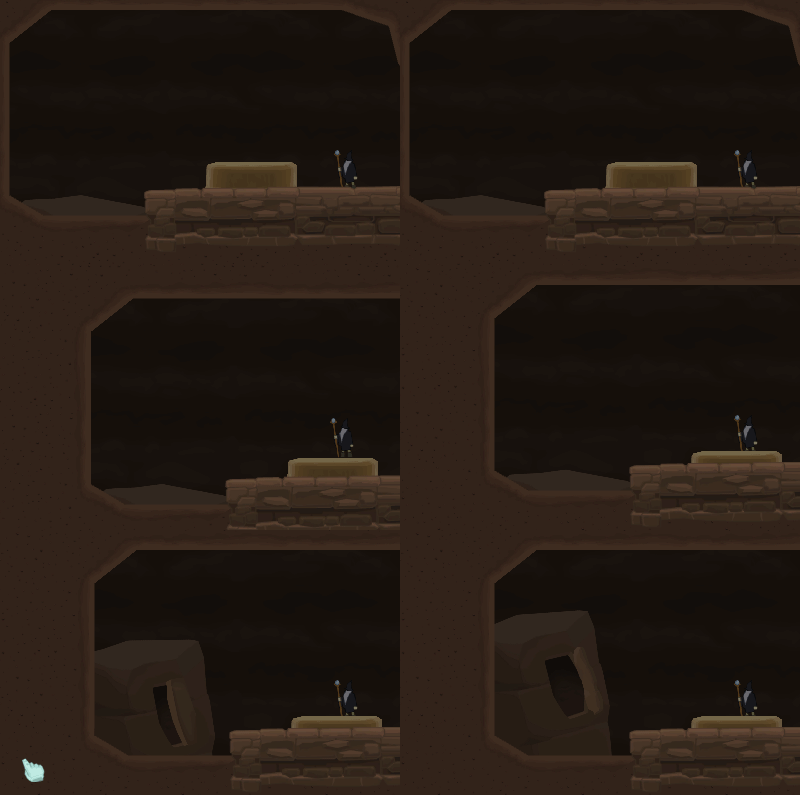
Example video for mechanisms (buttons, pressure plates, moving walls, platforms, traps)
Example video for cinematic script that acts as prelude to a boss battle.
Image sources: Yves Scherdin, Screenshots from UnityEditor and VisualStudio (2025)
Video source: Yves Scherdin, from DevLog playlist of Spiele-oder-so youtube channel (2025)