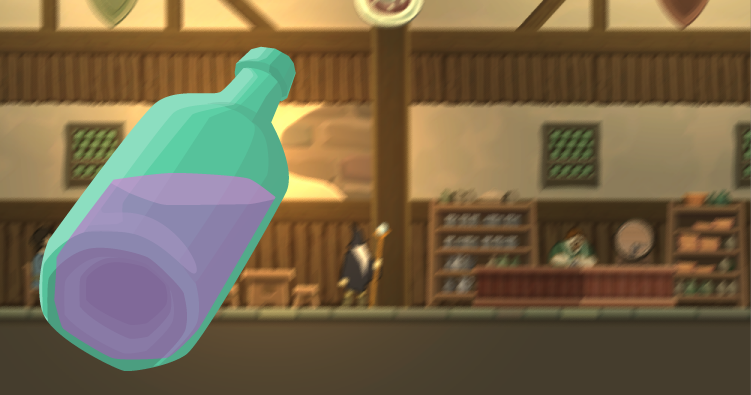
How would one achieve the vision of a drunken person with the help of post-processing with Unity2D and the Universal Render Pipeline?
I asked that myself – and was at the same time seeking to create a cool visual effect to indicate that the player character is drunk and hence handicapped in magical matters. If the vision would make it very uneasy to play, the buff would be perfect.
Again, I would make an analysis what is to achieve, come up with a plan, execute the plan and get a result.
Now, let’s look into the development process!
The Development
An advice before we start: Get familar with the concept of fuzzy logic to understand transitions of weight/multipliers between 0 and 1 – if you don’t already – since Unity and the solution presented in this article will make use of it a lot.
What was to achieve?
The screen should somehow look blurry, but at the same time, things should also rotate somehow, even when nothing happens.
How to achieve it?
The motion blur post-processing would blur the rendered view, but only on movement.
Hey, let’s move the camera all the time – even when the player stands still! So, the view will be constantly blurred.
But how could the camera move? Hm – it could simply shake slowly. Using some cosinus function or similar.
Plan ready. Now, to the execution!
Executing the plan!
The Volume would be easy to configure, since a motion blur already exists as post-processing option. I created a game object with a volume to indicate the drunken status of the player character.
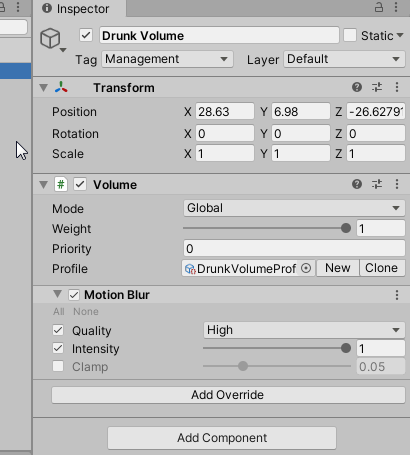
As soon as this status would begin, the drunk volume would be added to the scene, activated and its weight would be transitionied to 1 (100%).
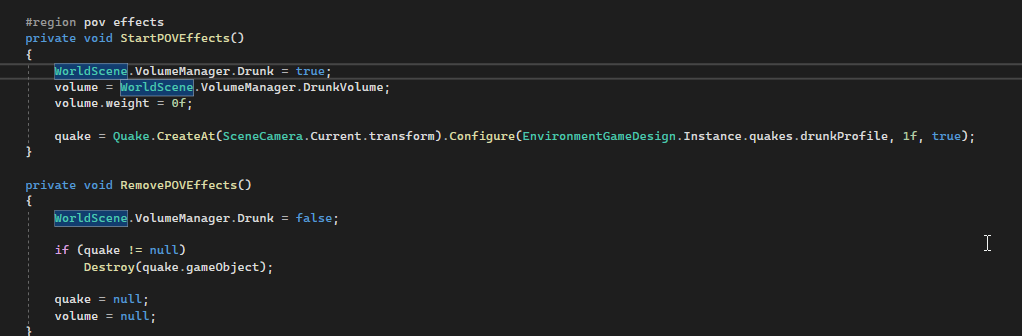
About the camera movement: I already created a feature before – The Quake™. It would already make the camera perfectly shake, with a certain randomized oscillation. Yet, it would be very fast. But, we can configure this and just make it slower!
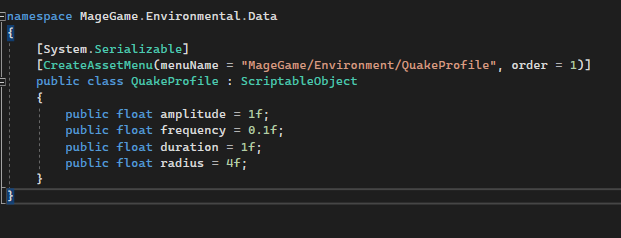
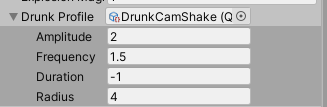
The drunk status is updated constantly. In its Update() method, the weight of the volume and the intensity of the quake are adjusted.
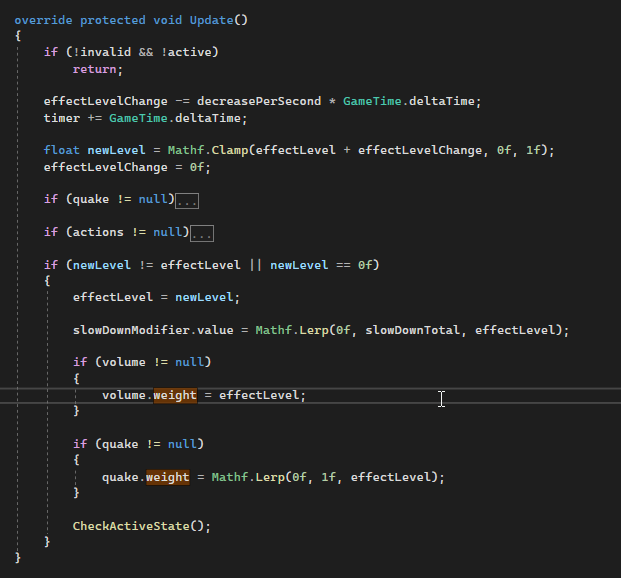
And that is all the magic!
The result
The new drunk effect is both, immersive and informative. And since many features existed already, it was also easy to implement.
Image sources: Yves Scherdin, Screenshots/Exports from UnityEditor/VisualStudio/VS Code (2025)
Video source: Yves Scherdin, from DevLog playlist of Spiele-oder-so youtube channel (2025)